
Automatic extraction of where pointed out
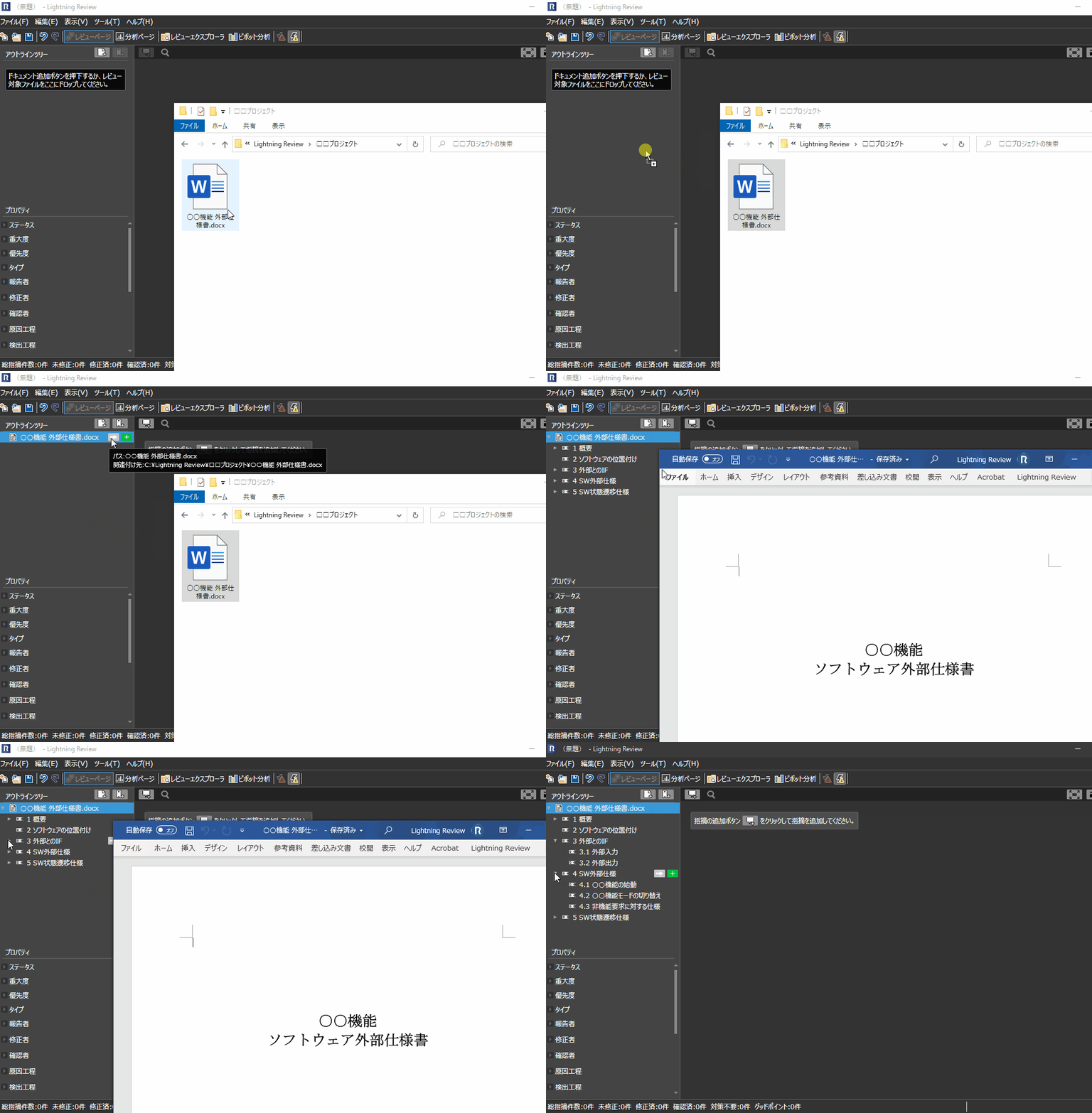
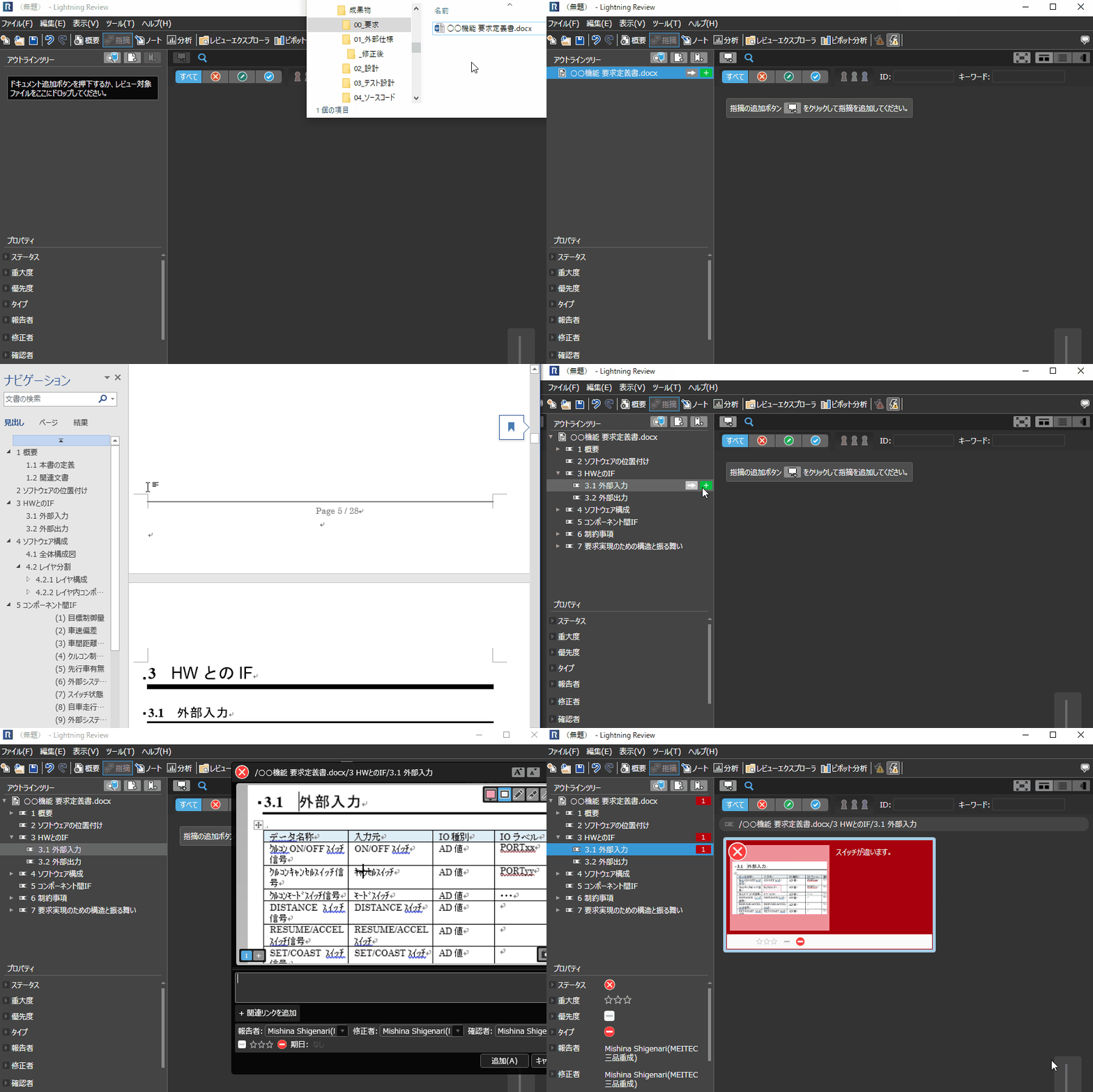
By simply dragging and dropping the document to be reviewed and registering it, document structures such as table of contents and headings are automatically created as outlines.
By specifying an outline and registering indications, you can see at a glance the number or progress of them for each chapter of the document.
Automatically Analyze the Structure of
Tables of Contents and Headings
Lightning Review analyzes registered documents and creates an outline from their table of contents and headings. Because issues are linked to the outline, reviewers do not need to enter locations such as “Chapter X, Figure XX” or “Class XXX, Function YYY.”
-
Supported formats
- Microsoft Office document (Word, Excel, PowerPoint)
- PDF Files
- Source Code (C, C++, C#, Java, Python, VB.NET, Typescript)
- Markdown format
Jump from the Outline to
Target Files and Issue Locations
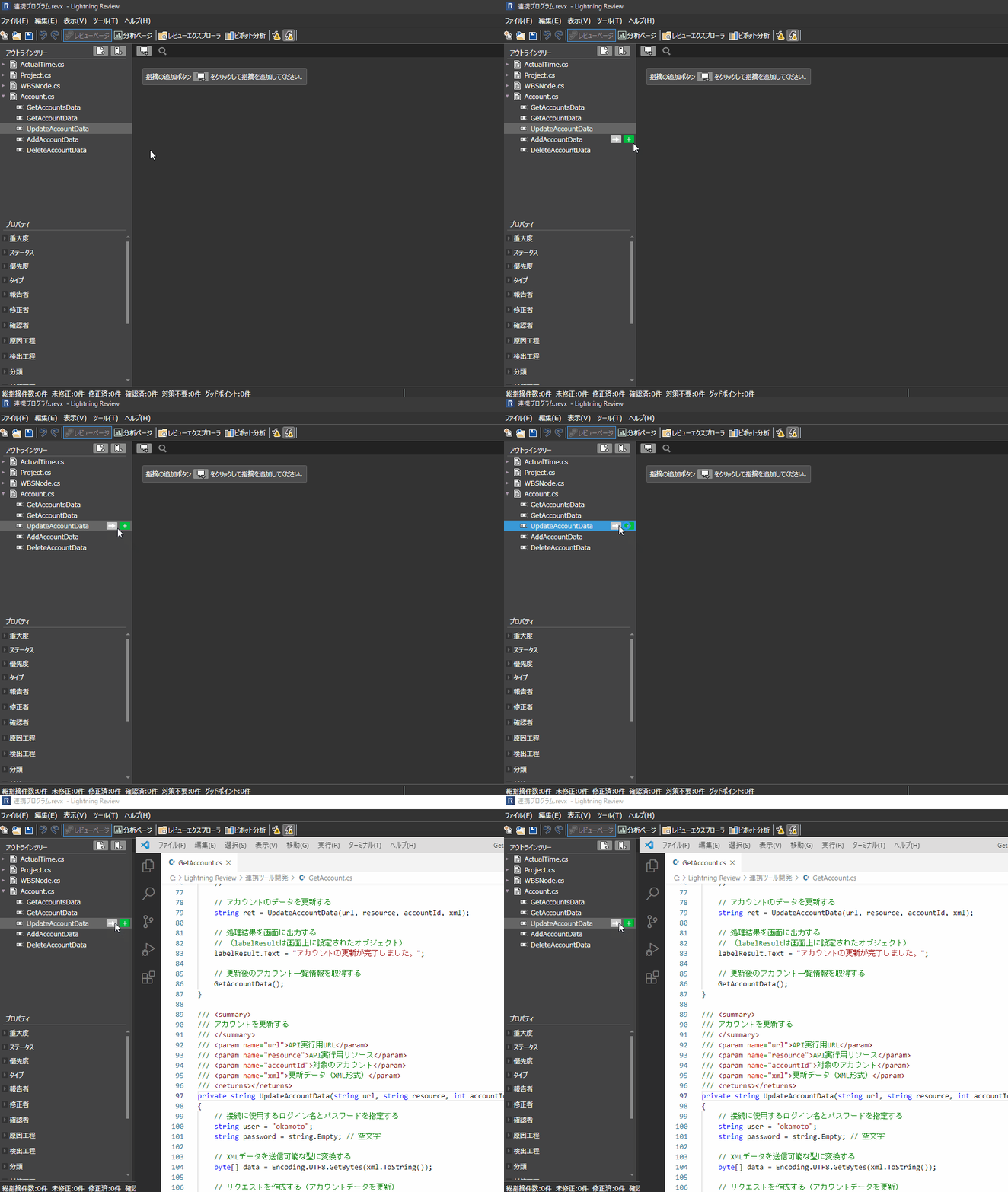
You can open the target document directly and jump to that location.
You can immediately start correcting the problem.
Files registered in GitHub and Subversion are automatically downloaded and opened.
Understand the status of review by outline.
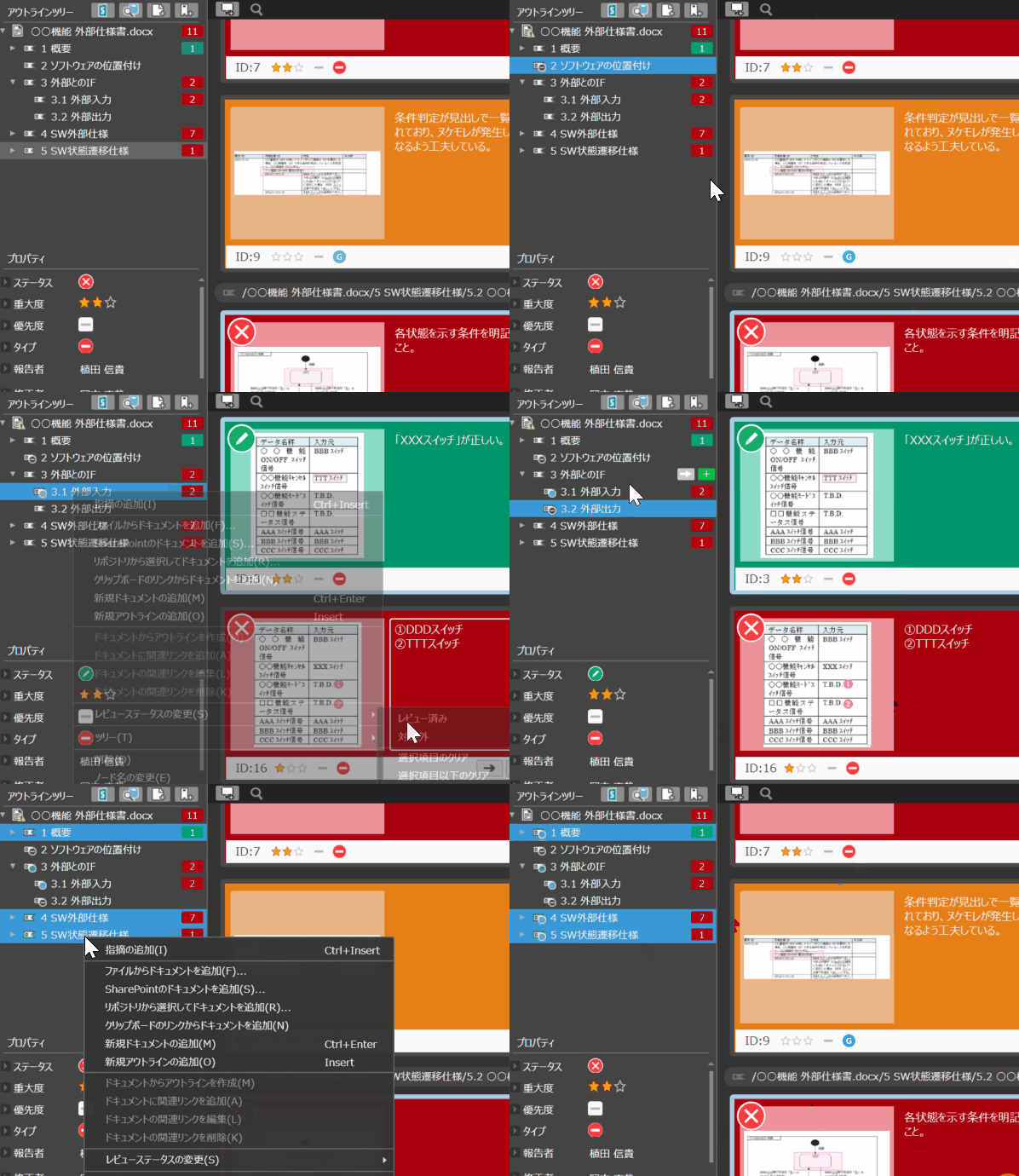
For each outline in the document, you can see at a glance how reviews are being performed.
It is possible to identify which parts are subject to review and which parts have been completed, thus preventing omissions in the implementation of reviews.
Function ListFEATURE LIST
You can see a list of Lightning Review functions.