
Visualizing revision status of reviews
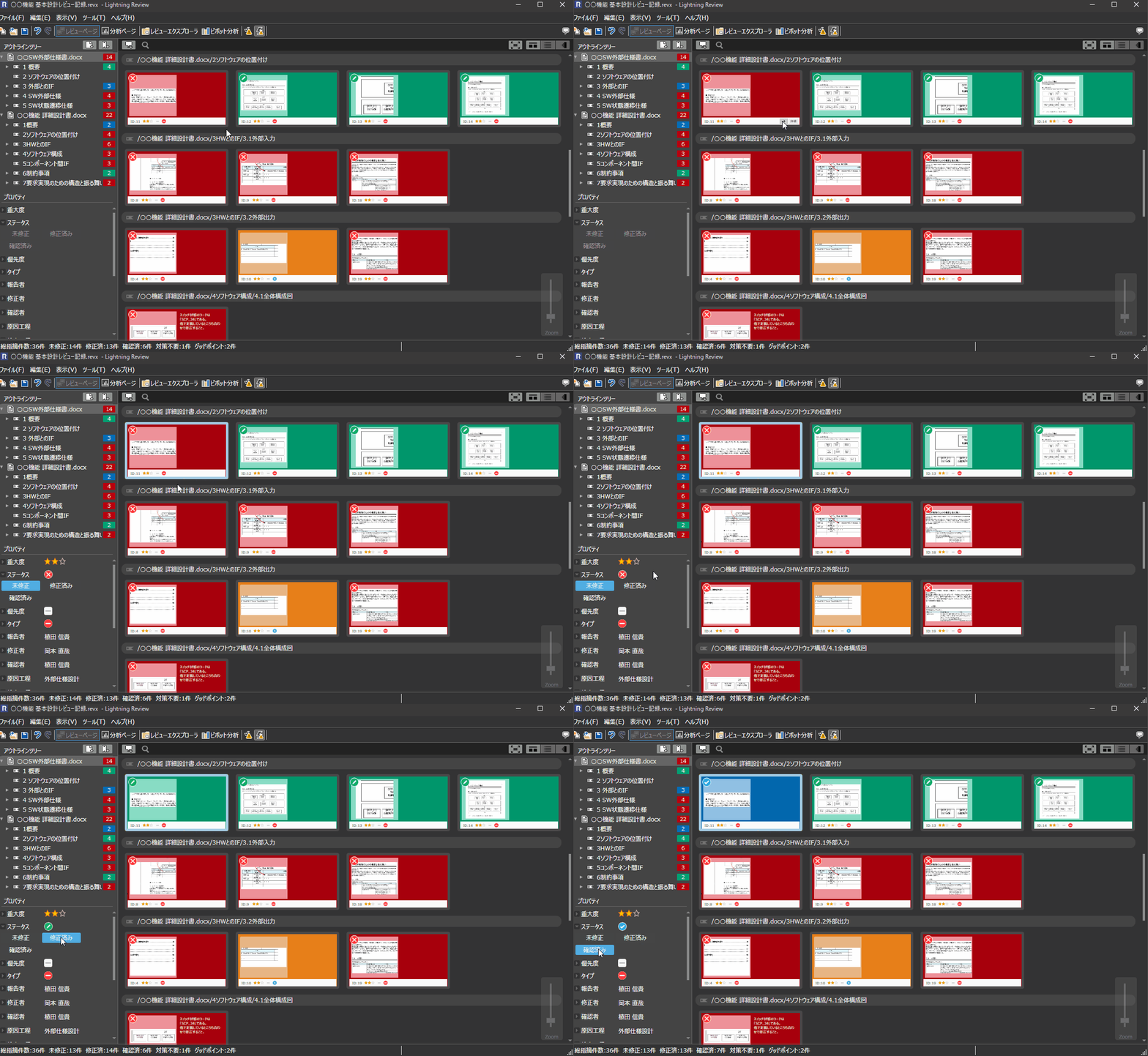
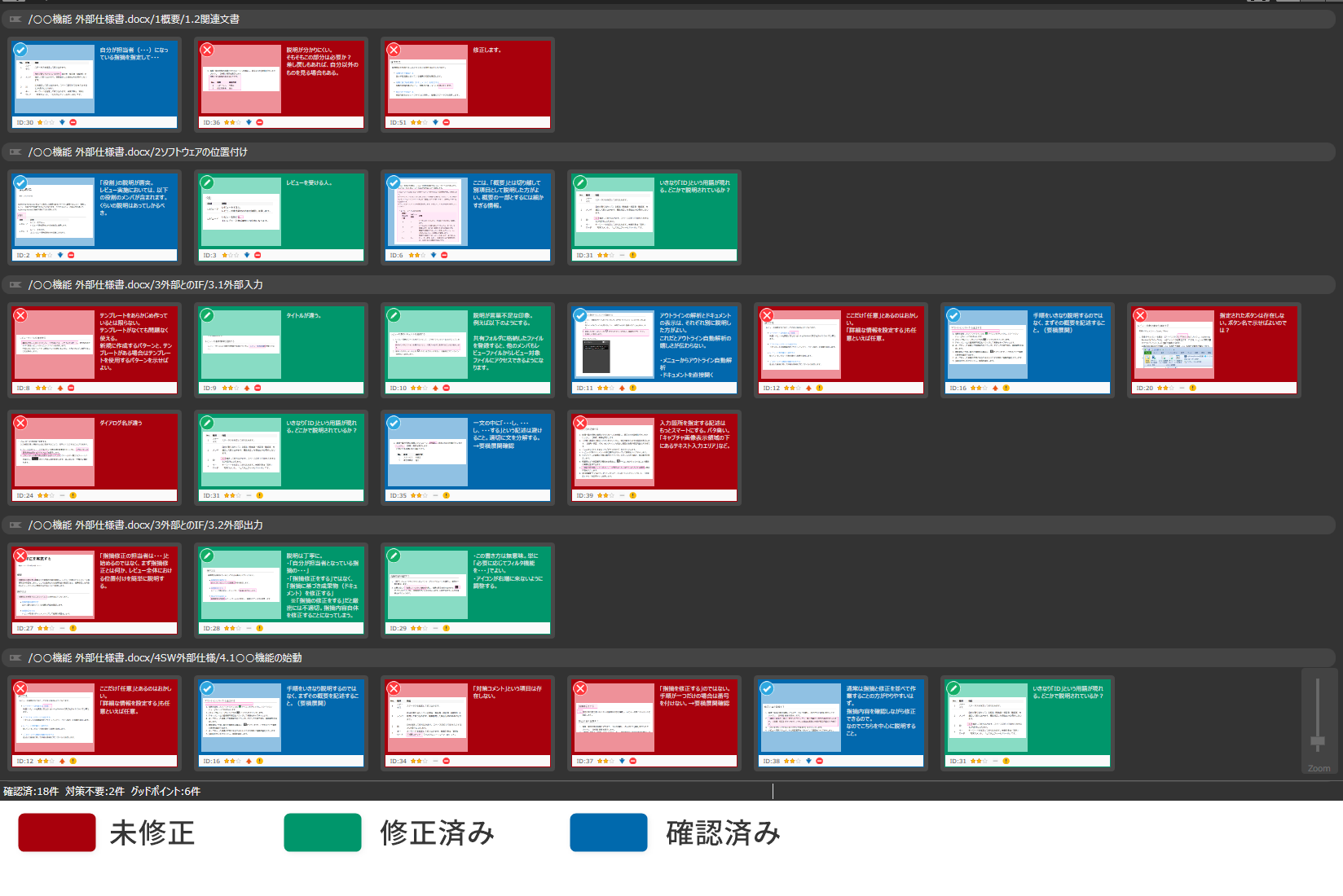
Each indication in reviews is shown as a card side-by-side and colored to express revision status.
It shows revision status visually, that will prevent you from forgetting correction and confirmation of indications.
Grasping revision status of indications at a glance
The correction status of the indication is expressed in color, so it can be visually grasped.
See Correction Status by Chapter
at a Glance
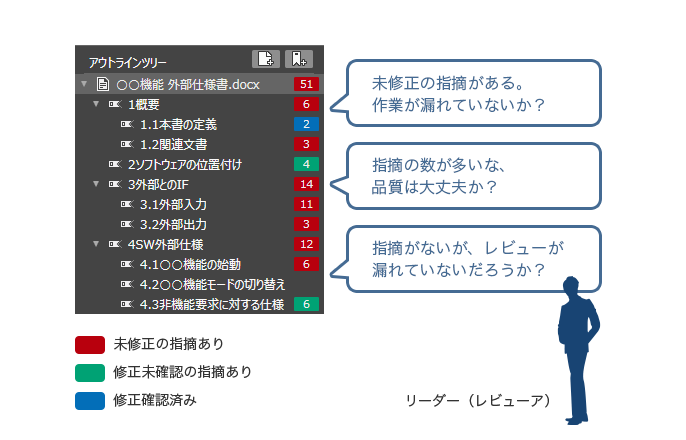
The number of issues pointed out and the response status can be checked in color for each chapter or page to be reviewed.
You can see at a glance which chapter has an uncorrected point.
The number of issues pointed out and the status of corrections are automatically tabulated for each chapter.
"There's a chapter that hasn't been pointed out. Isn't there a review that hasn't been conducted? You can also notice omissions in the review.
Analyzing indications in reviews
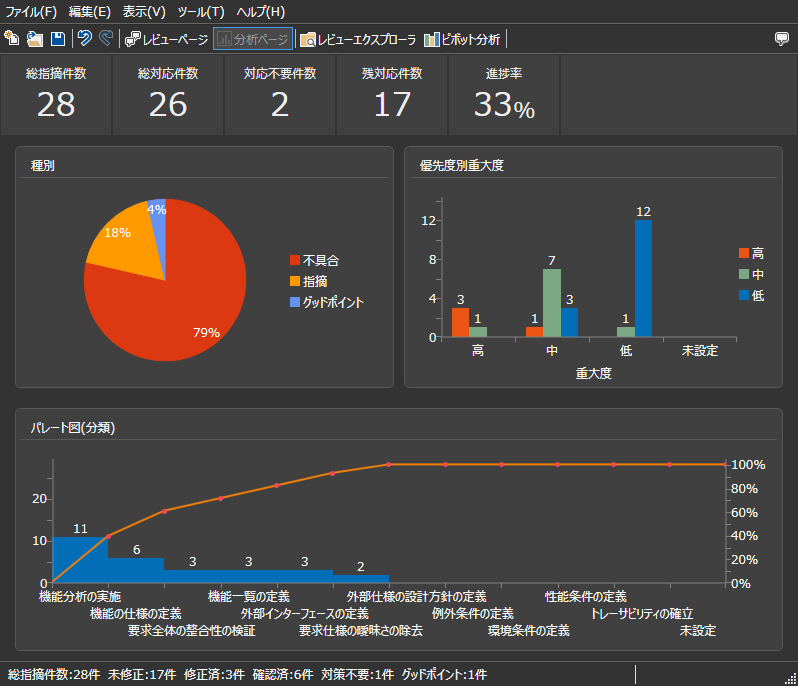
The analysis-page tabulates and View in real time the number of issues pointed out and corrected, as well as by type and category.
There is no need for tallying, and you can ask yourself, "What was the type of issue with the highest number of cases? This will lead to reflection and improvement.
-
Recording good points as well
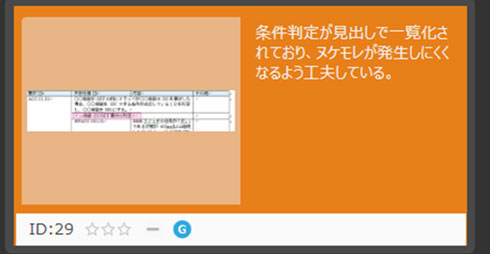
By changing the type of point, you can record the good points with good points.
Not only can you make a point, but you can also convey the good points. -
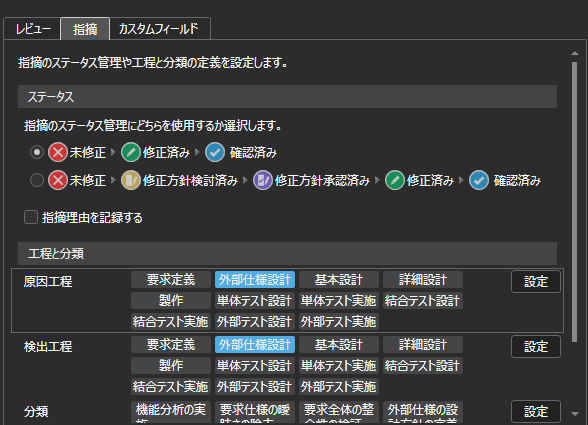
Status (2 patterns)
-
Recording background of indications
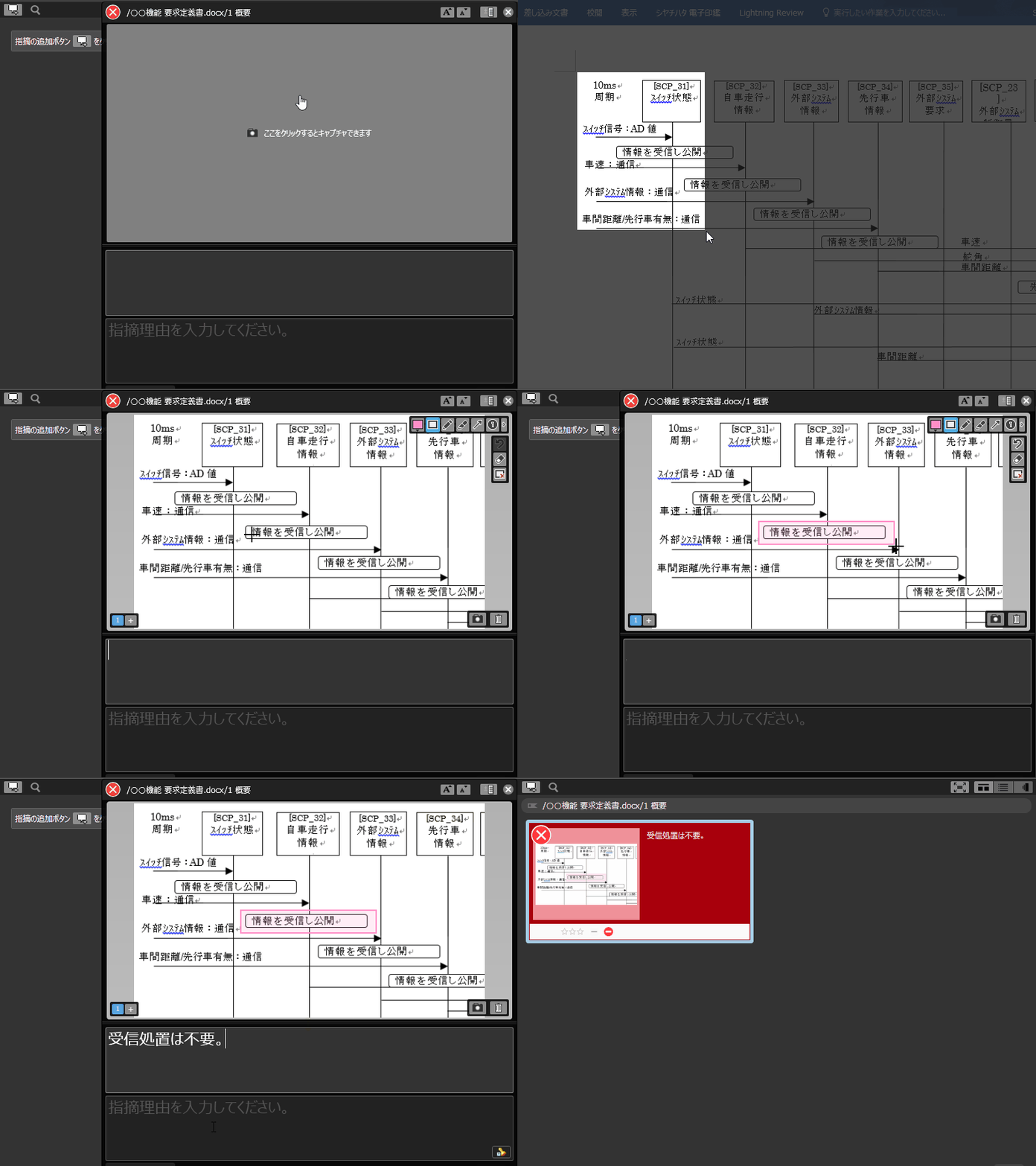
It is possible to record not only the content of the problem but also the reason for the problem.
By also stating the reason, you can share your learning and insights. -
Grasping revisions sent back at a glance
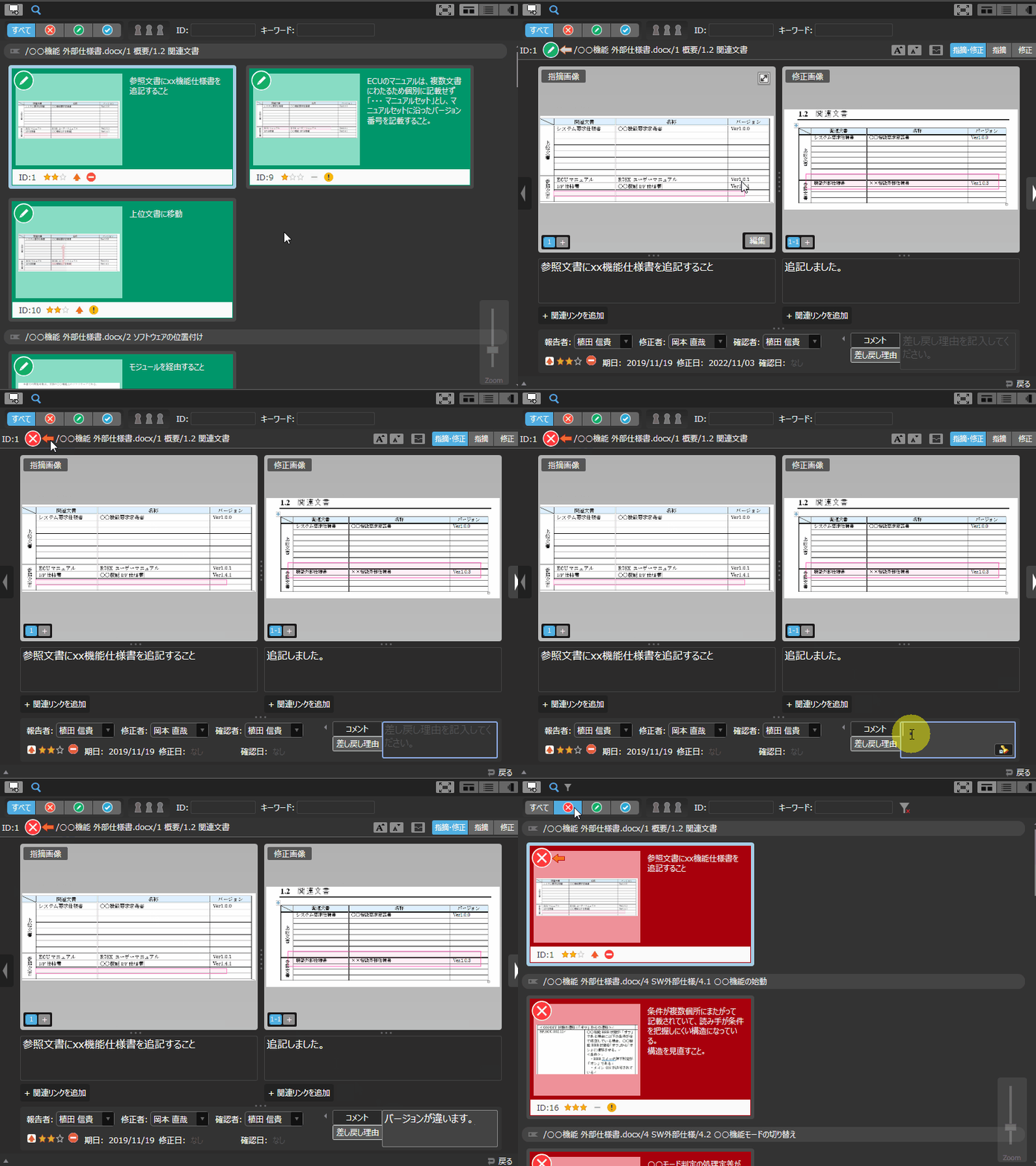
If there is an incomplete correction to a point, it can be sent back with the touch of a button.
In the same way as pointing out, you can capture the screen and record the content of the remand.
The color of the button changes to make it easy to see at a glance what was pointed back.
Function ListFEATURE LIST
You can see a list of Lightning Review functions.