
Cooperating with existing Excel worksheets
If you want to use the existing minutes in Excel even after starting to use Lightning Review, or don't want to change the current way, don't worry.
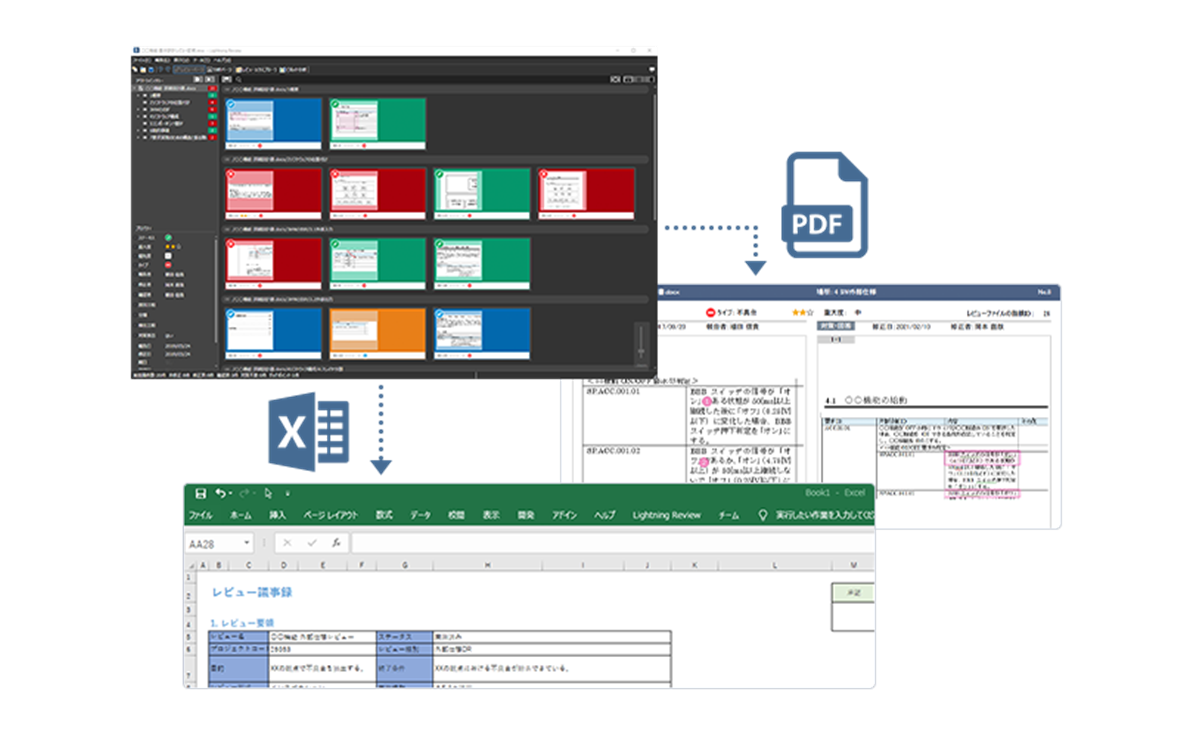
Lightning Review includes Excel add-in to create review minutes in Excel with one click.
In addition, you can customize the form by dragging and dropping, so you can use the existing form as is.
You can also export a PDF format with images, so you can share it with other people.
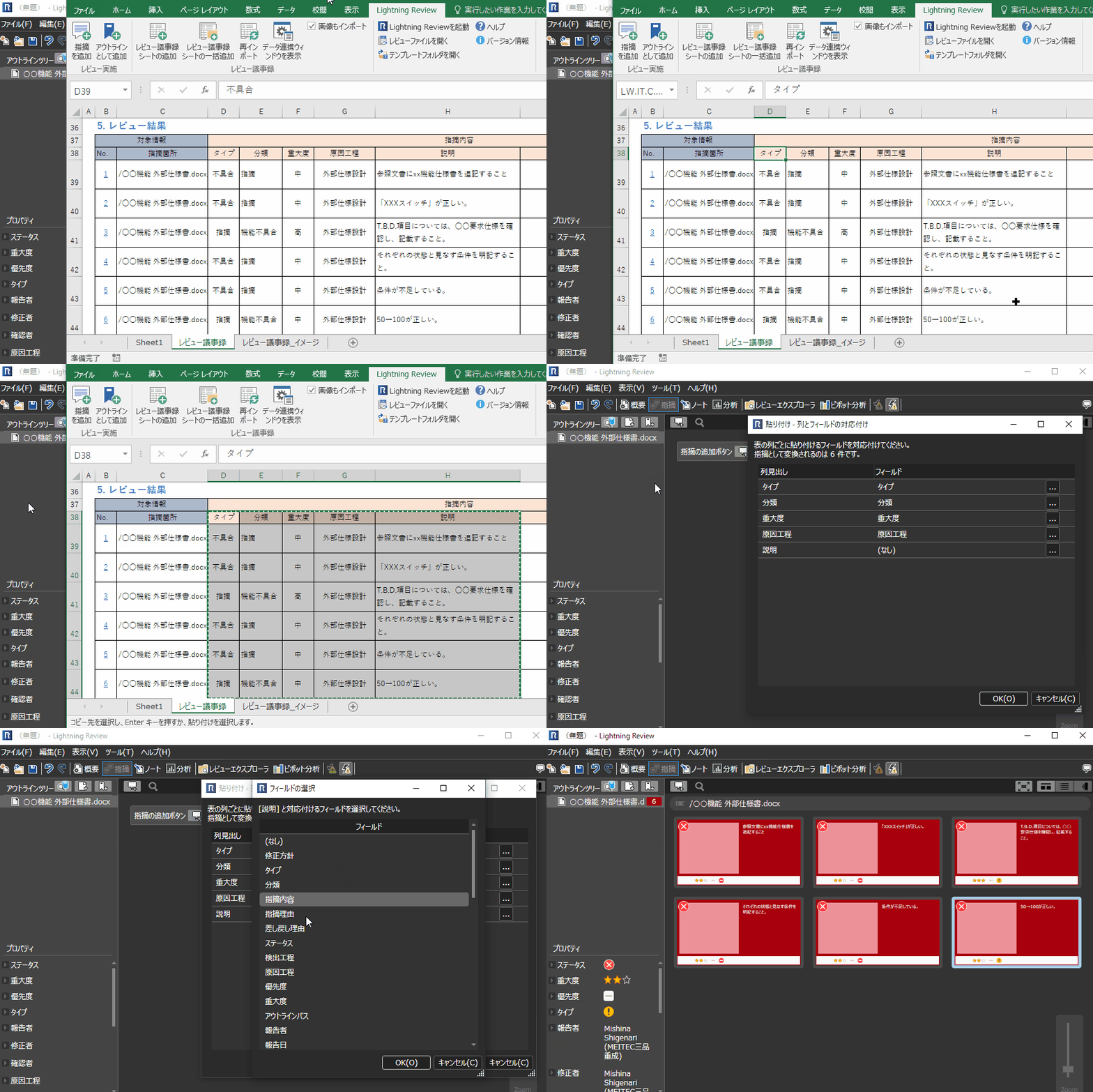
Pasting Excel tables with each other
Lightning Review and Excel can be copied and pasted to each other.
Even if you are not using Lightning Review and you are managing points and problems with Excel, you can easily import them into your Lightning Review.
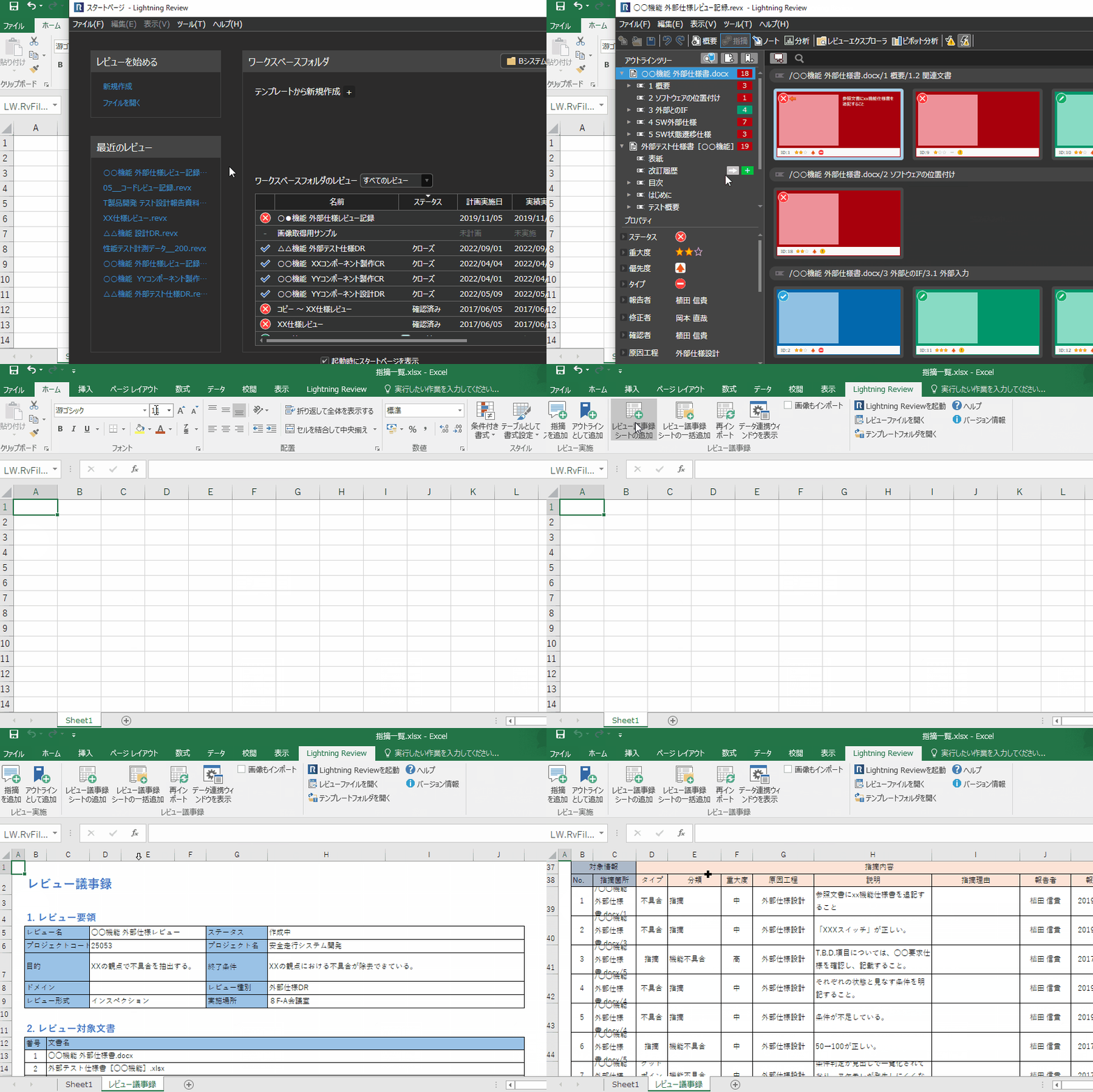
Outputting minutes with one click
You can create review minutes in Excel format in one click.
It is also possible to output the results of multiple reviews together in a single minutes.
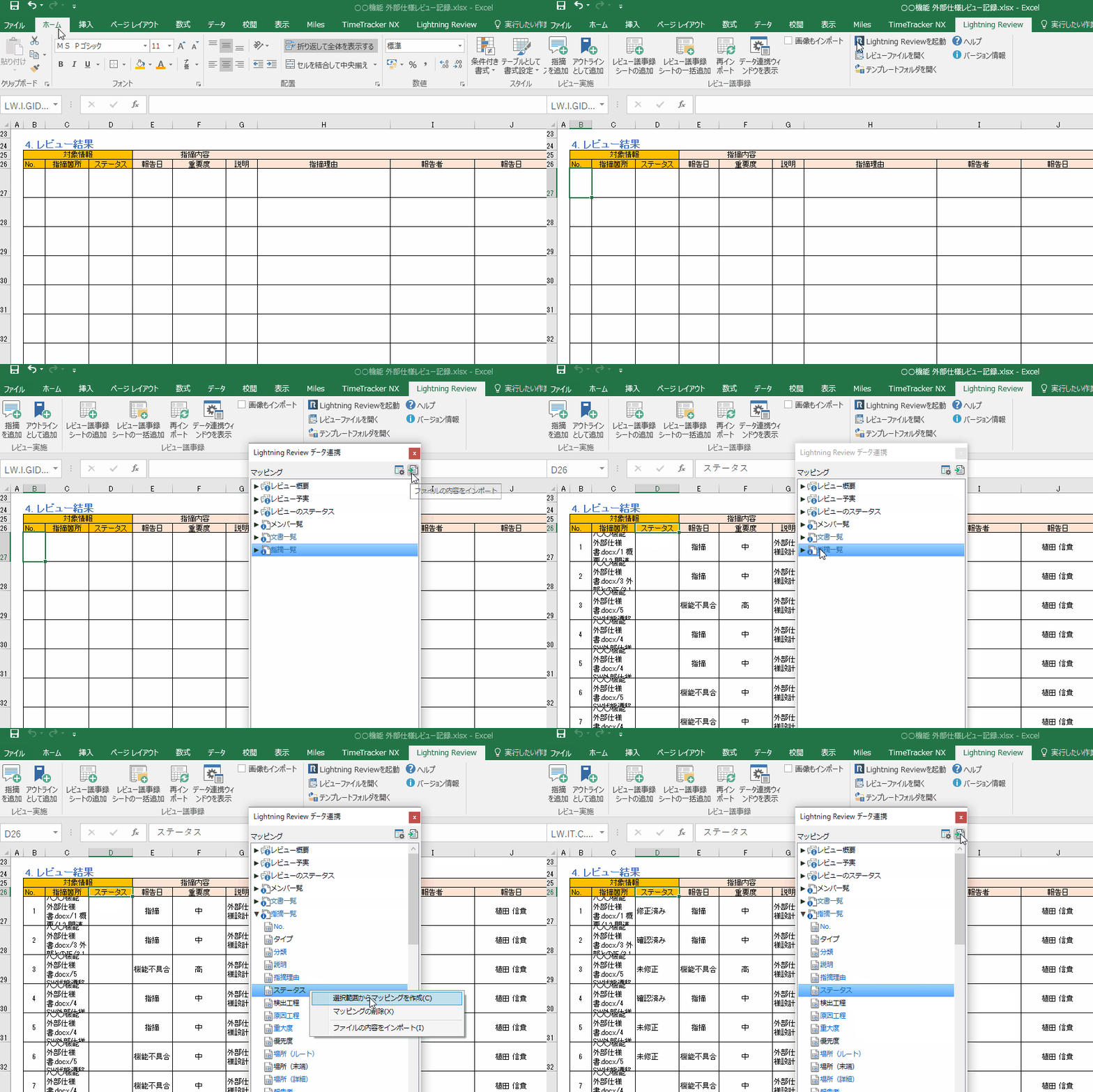
Using minutes of meeting as they are
There is no need to modify pre-existing minutes to fit your Lightning Review.
You can import the review results according to the format of the minutes.
Since it can be completed with just a mouse operation, anyone can easily implement it without any specialized knowledge.
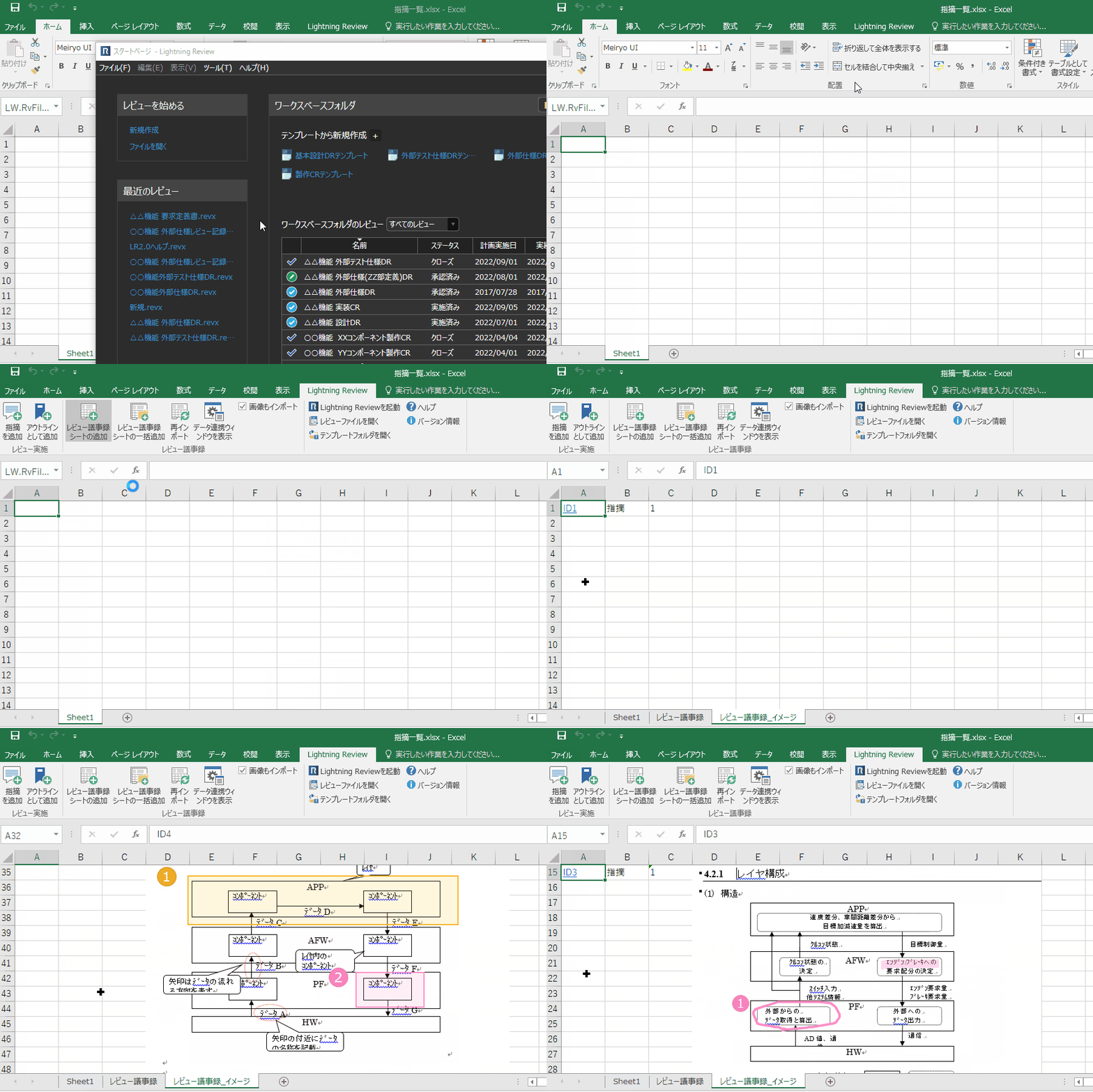
Exporting images as well
Images of the issues pointed out and corrected are also output.
You can also check the comments and images in Excel minutes.
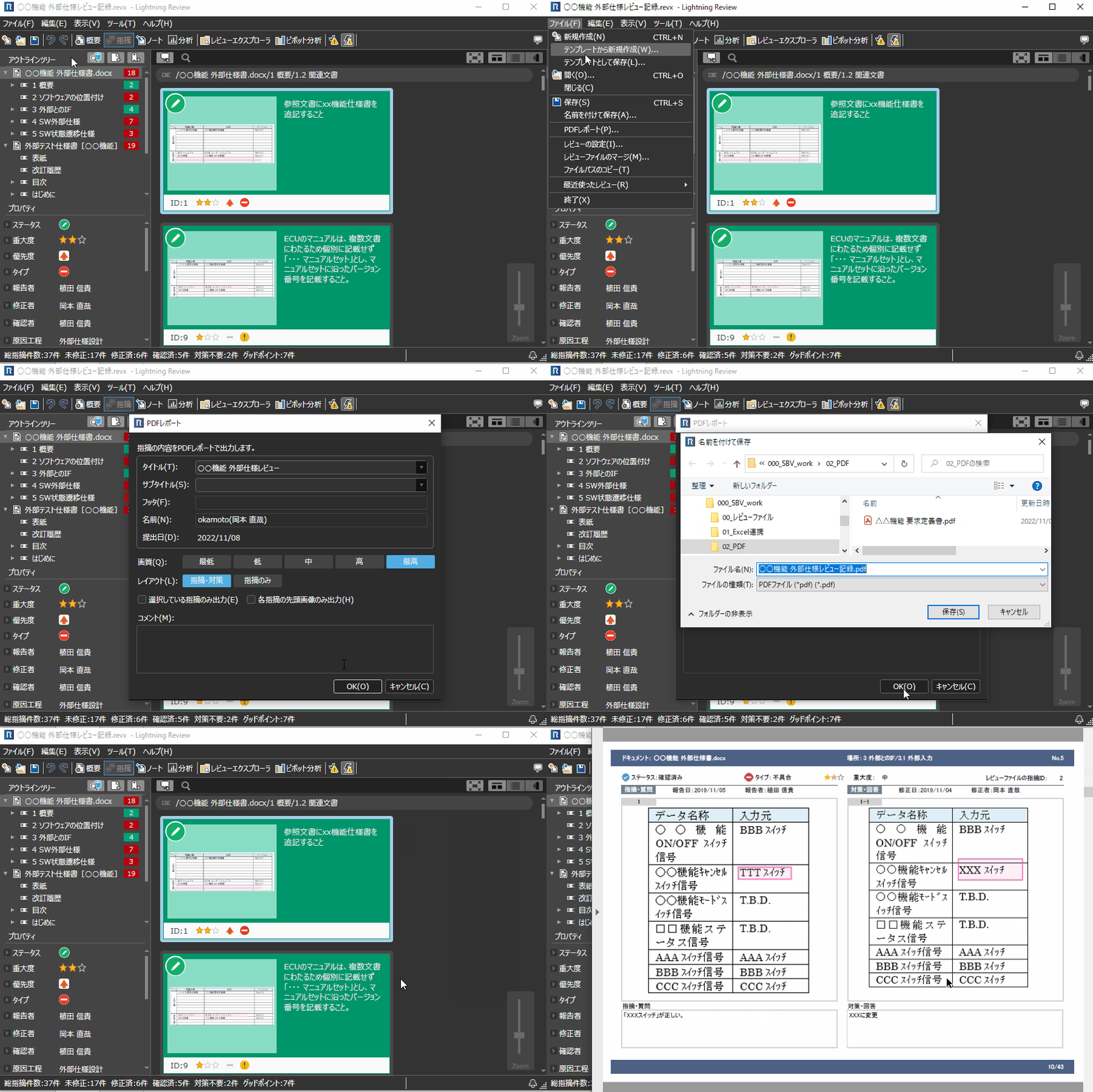
Exporting report in PDF format as well
Report file in PDF format can be exported with one click.
Cover page and table of contents are automatically generated as well as the content indicated.
You can use it to report your findings to people who don't have a Lightning Review.
Function ListFEATURE LIST
You can see a list of Lightning Review functions.