
Lightning Review 2.5.3
In response to the requests of many users, we have realized functional improvements.
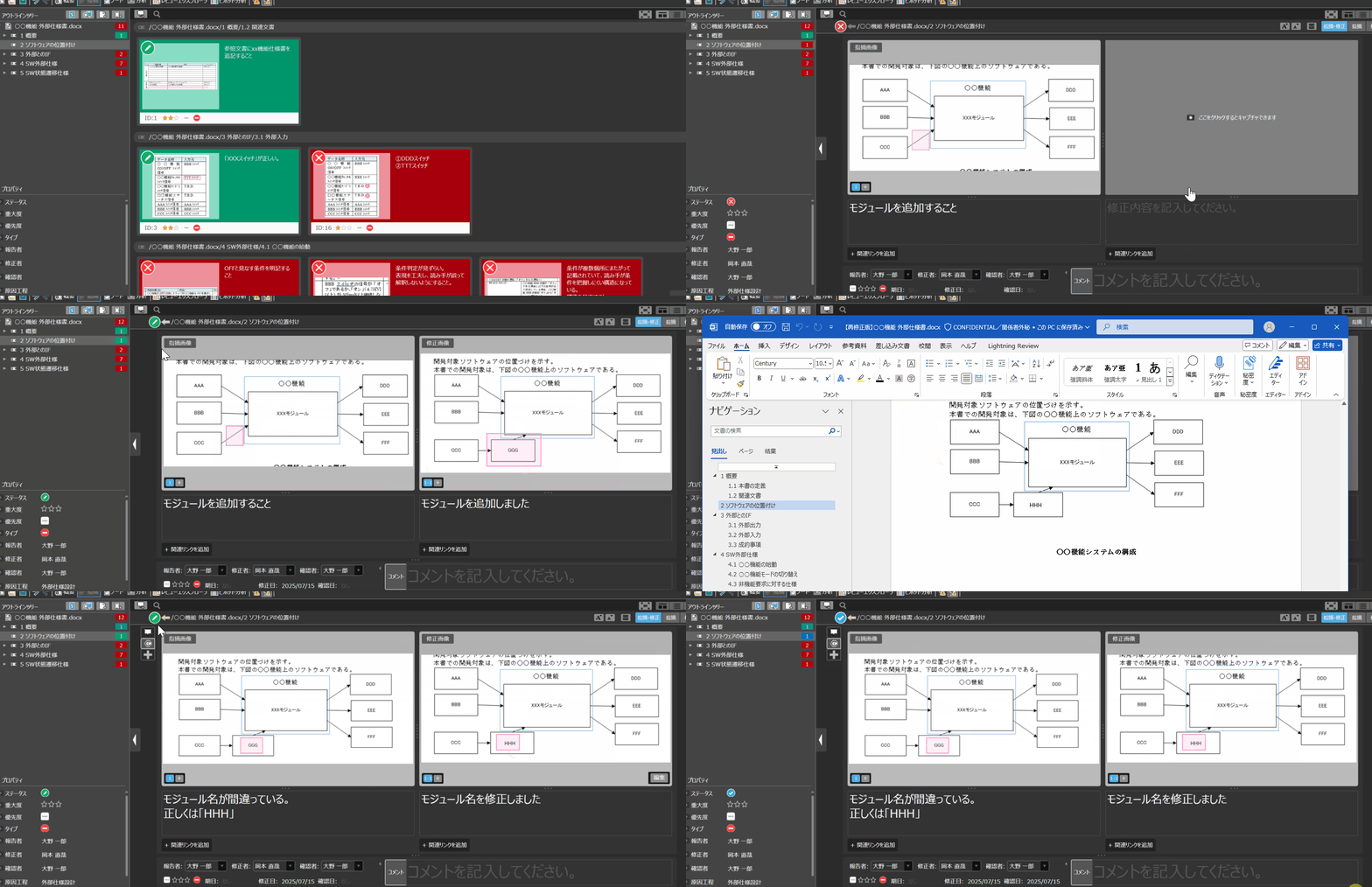
The exchange of points and corrections is organized in an easy-to-understand manner.
You can View tabbed links between issues and corrections, and View the flow from issues to corrections in chronological order. It makes it easier to understand "which point was pointed out and which response was taken" in the flow of the process, reducing the time and effort required for confirmation and review.
Since you can follow the process, including the remand, even as time goes by, you can reproduce the decisions made at the time and prevent misrecognition.
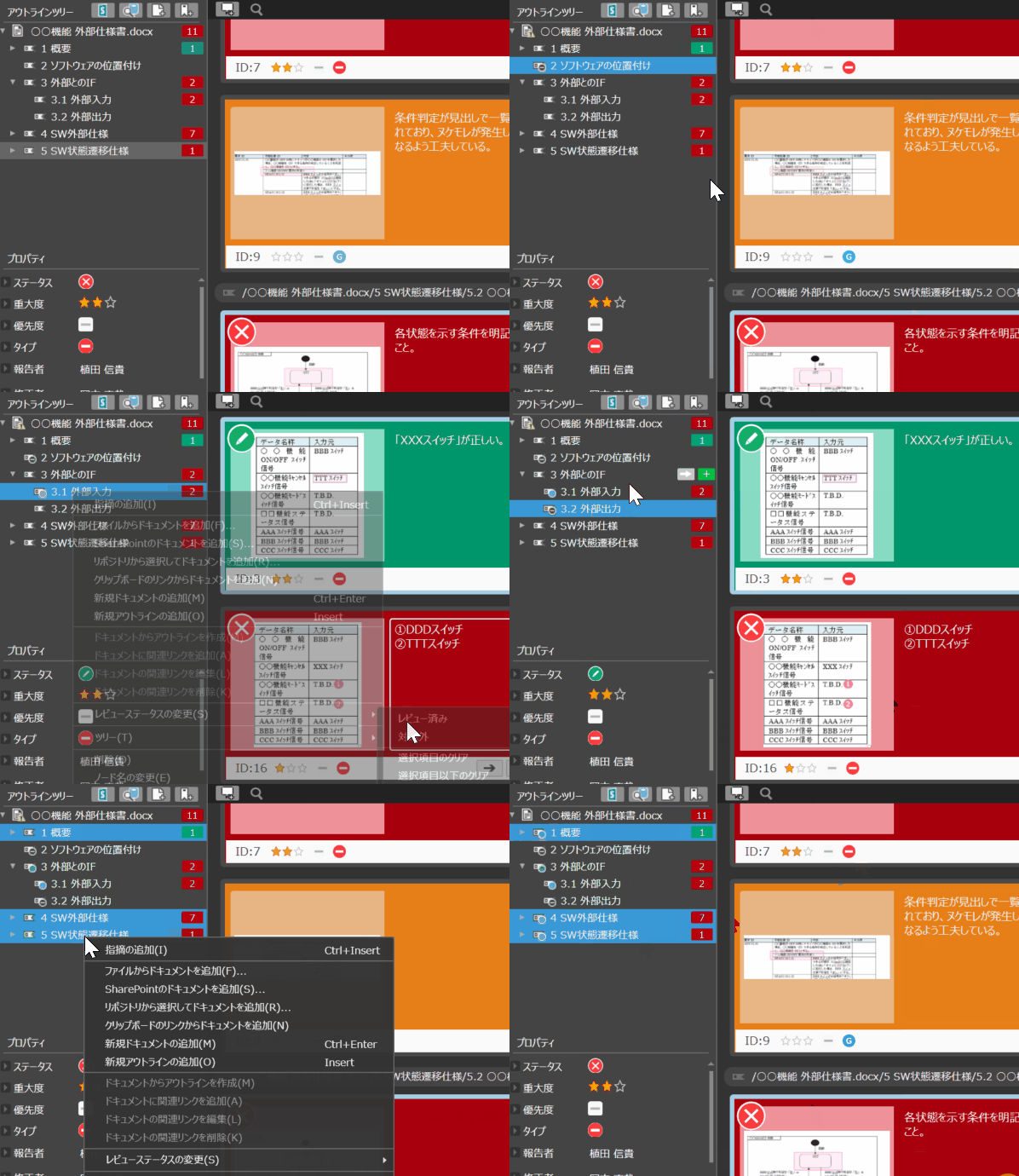
Clearly define what needs to be reviewed
You can View "Not Reviewed" or "Reviewed" for each section in the outline tree. It makes it easier to keep track of which chapters are to be checked and how far the review has progressed, so you don't get lost in the scope of checking.
Even if you make changes to some parts of the document, you can still see at a glance what you are reviewing.
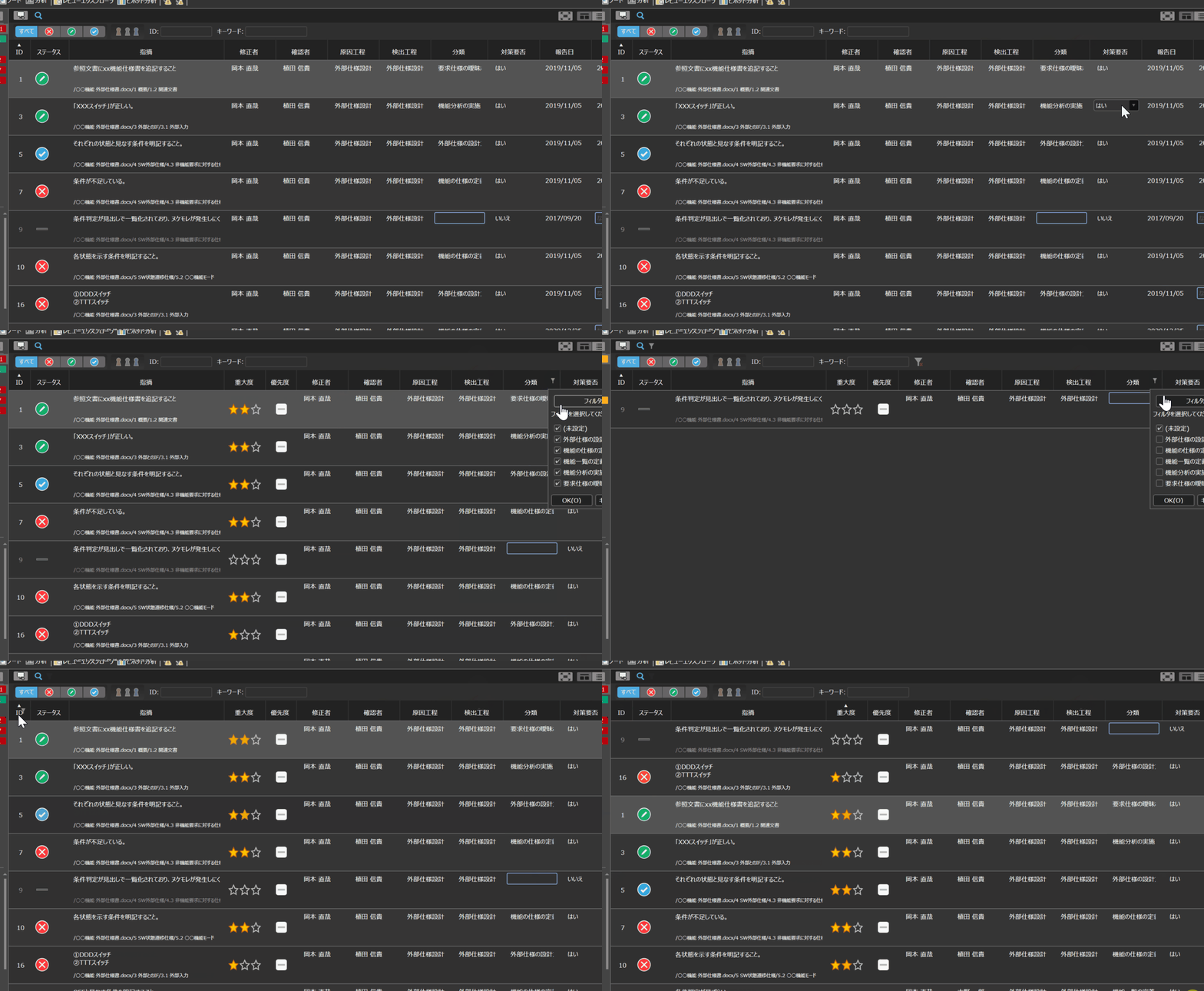
Organize and check necessary information in an easy-to-read format
By sorting, narrowing, and sorting the columns of View items in the gridview, you can grasp the points and fields you want to check.
You can get to the information you need in the shortest time possible, making it easier to avoid overlooking or missing information.